Autonomous Drone Delivery Stack
December 202510 min read
- ROS 2
- Nav2
- PX4
- Gazebo
- C++
- SLAM
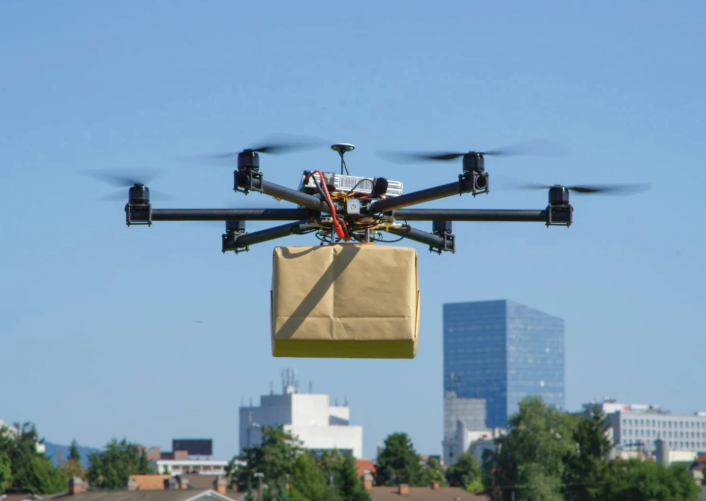
A campus delivery drone that flies to a GPS pin with no pilot in the loop. I led software for the project at the Autonomous Robotics Club of Purdue, fall 2024 through fall 2025. I built the pipeline from a customer’s pin to a flyable Nav2 mission.
- Five-layer stack: mapping, localization, planning, flight control, and ROS 2 keeping them talking.
- Ground-robot planner, taught to fly: my C++ nodes hand Nav2 a flat ghost of the drone to steer while PX4 flies the real drone.
- GPS translator: latitude and longitude become map coordinates, verified over 17 km.
- Recovery playbook: a stuck drone wipes its map, waits, backs up, and tries again, six times before giving up.
The semester went into making lidarslam, Nav2, and PX4 agree on where the drone is.
The Autonomous Robotics Club of Purdue (ARC) was my main software project outside class. We began with a mission statement and an inherited code repo from previous semesters.
Context
The mission statement was a campus-wide package delivery system run by a fleet of autonomous drones. Order on a web app and a drone flies the package to your GPS pin, with no pilot anywhere in the loop. Starship’s sidewalk robots already haul bagels across campus at walking speed. We wanted the version that skips the sidewalk.
We broke that one sentence into semesters:
- Fall 2024: finish the autonomous flight stack in simulation, get the physical drone flying.
- Spring 2025: first successful autonomous flight of the V1 drone.
- Beyond: V2 capabilities, then the fleet.
I led the software side. The team ran as three subteams. LIO (lidar-inertial odometry) kept the drone aware of its surroundings, PX4-ROS2 spoke to the flight controller, and Nav2 turned maps into missions. The Nav2 layer was mine.
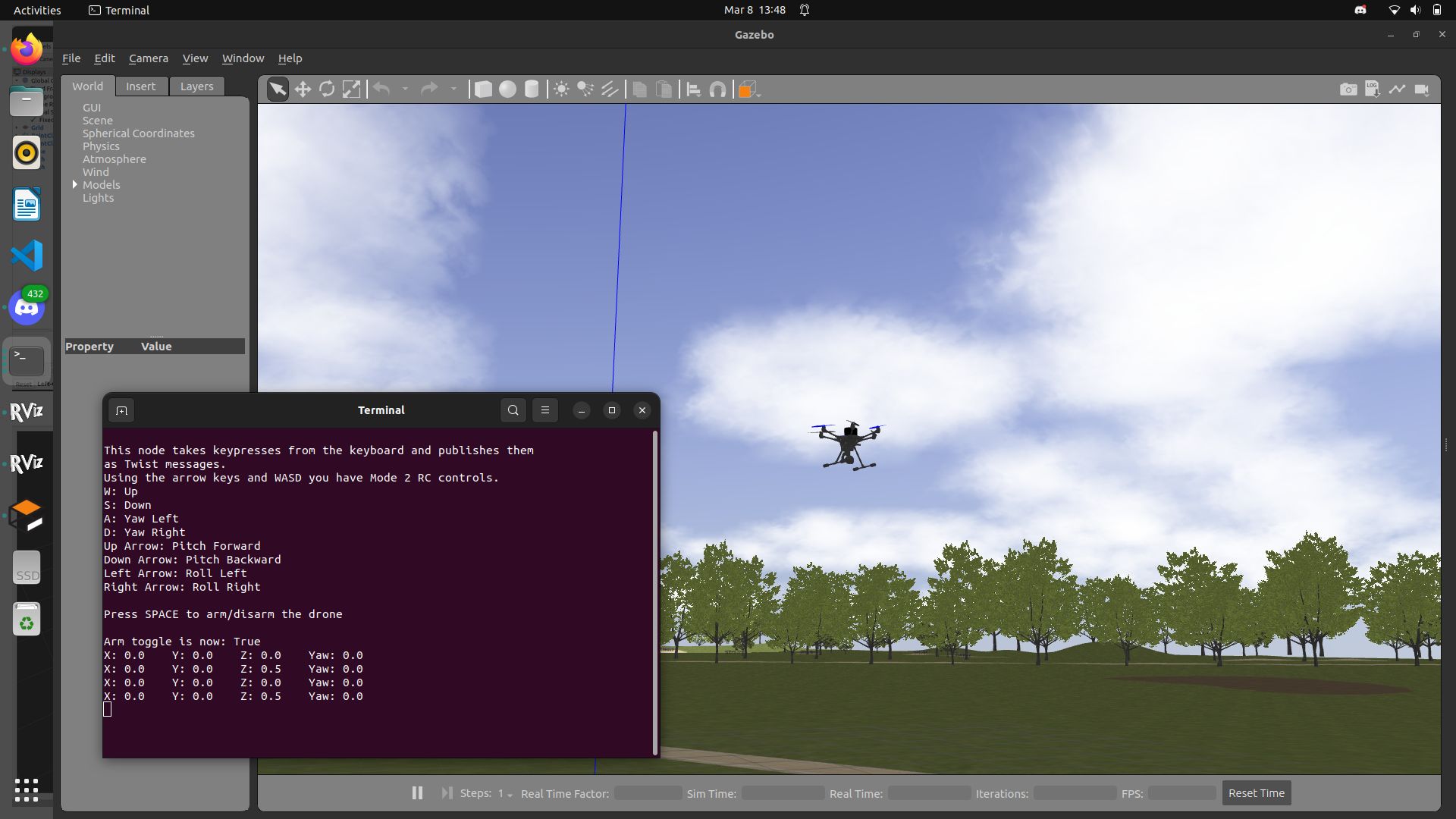 The testbed hexacopter over Gazebo’s tree line, with the keyboard teleop window showing the movement targets it sends.
The Stack
Five layers, none of them optional:
| Layer | Tool | Job |
|---|---|---|
| Mapping | lidarslam | Turn laser sweeps into a persistent 3D map of the surroundings |
| Localization | PX4 EKF2 + our bridge node | Blend GPS and motion sensors into one steady answer to “where am I?” |
| Navigation | Nav2 | Plan routes around obstacles and run the mission, decision by decision |
| Flight control | PX4 | Flight modes, motor commands, staying level |
| Glue | ROS 2, with a bridge to the autopilot | One shared language between the onboard computer and the autopilot |
The simulated drone mirrors the real build. PX4’s stock Typhoon H480 hexacopter carries a Velodyne VLP-16-class lidar and a Zed 2i-class depth camera, the same pair the physical drone flies alongside its Pixhawk and Jetson.
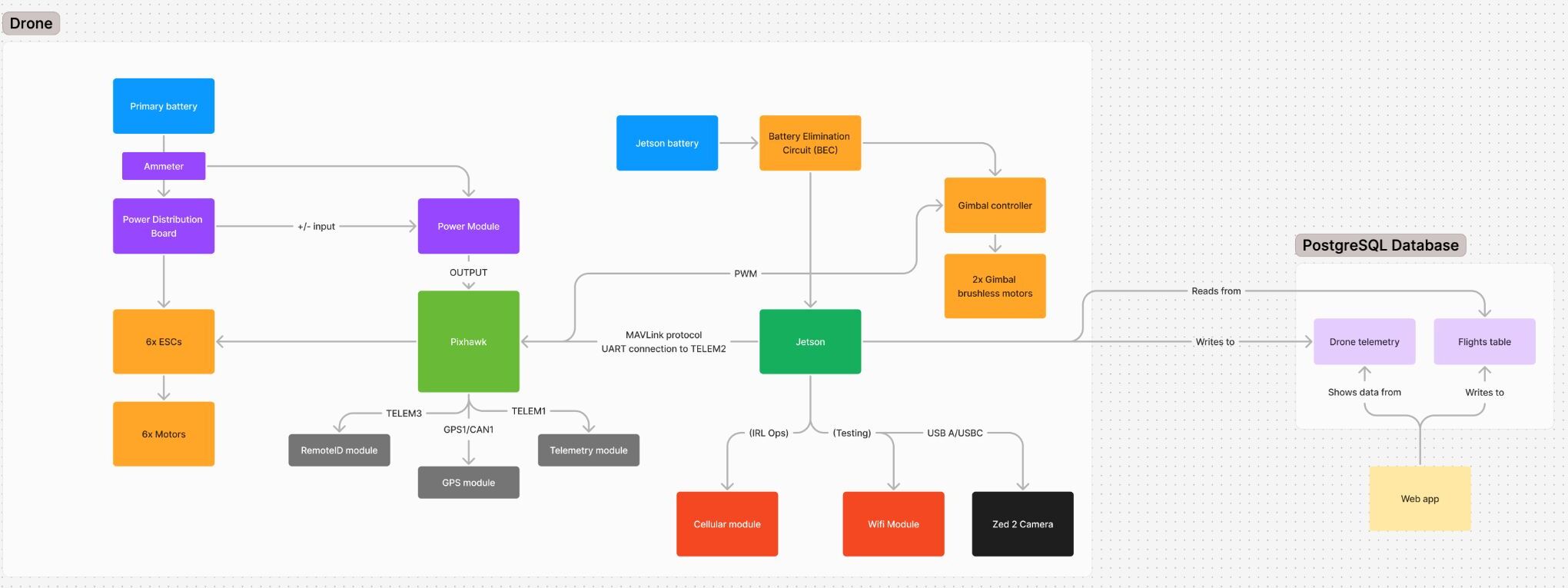
Inside Nav2, the choices that mattered most were:
- Theta* draws the route. Most planners think in grid squares, which is why their paths zig-zag like a staircase. Theta* cuts straight across the grid instead, drawing the clean diagonal an aircraft would actually fly. NavFn, a simpler planner, waits in reserve to redraw the route if it goes stale.
- MPPI steers along it. Several times a second the controller imagines hundreds of slightly different next moves, checks each against the obstacle map, and steers with a blend of the ones that stayed clear. The map also remembers what the camera saw a moment ago. A cone that slides out of view does not vanish.
My favorite design wrinkle sits below all of that. Nav2 was built for ground robots. It wants a machine sitting flat on a floor, and a drone never sits flat on anything. So Nav2 gets a flat ghost of the drone that always sits level on the ground, steers that, and lets PX4 fly the real drone above it. Three small C++ programs keep the two in step. The first listens to the IMU, the drone’s inner ear, and strips out the tilt:
// stabilized_tf_broadcaster.cpp: shed roll and pitch, keep yaw
tf2::Quaternion q_old(msg->orientation.x, msg->orientation.y,
                      msg->orientation.z, msg->orientation.w);
tf2::Matrix3x3(q_old).getRPY(roll, pitch, yaw);

tf2::Quaternion q_new;
q_new.setRPY(roll, pitch, 0.0);  // this transform absorbs roll and pitch
That transform keeps base_link_stabilized level above the tilting base_link. A second node drops it to the ground as base_footprint, hiding the GPS altitude where Nav2 never has to see it. A third converts PX4’s odometry from aerospace NED axes into ROS ENU. Three names for the same drone, at three heights, in one set of axes.
What I Built
A delivery address arrives as latitude and longitude. Nav2 does not speak GPS. It plans in meters on a costmap that has never heard of the equator. The translating fell to me. The handoff runs top to bottom like this:
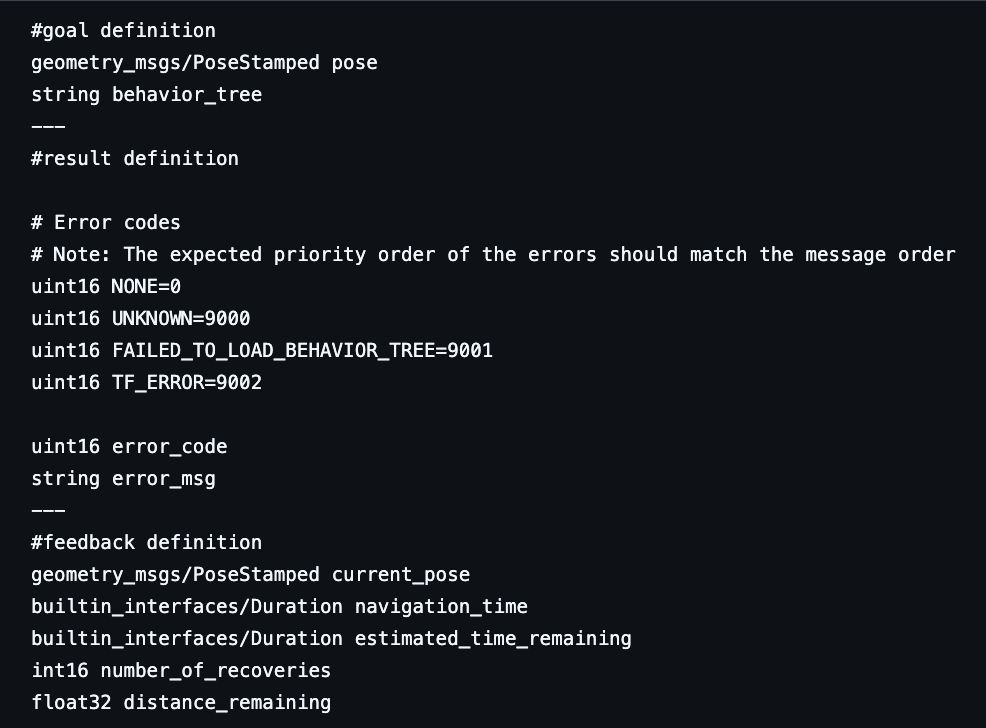
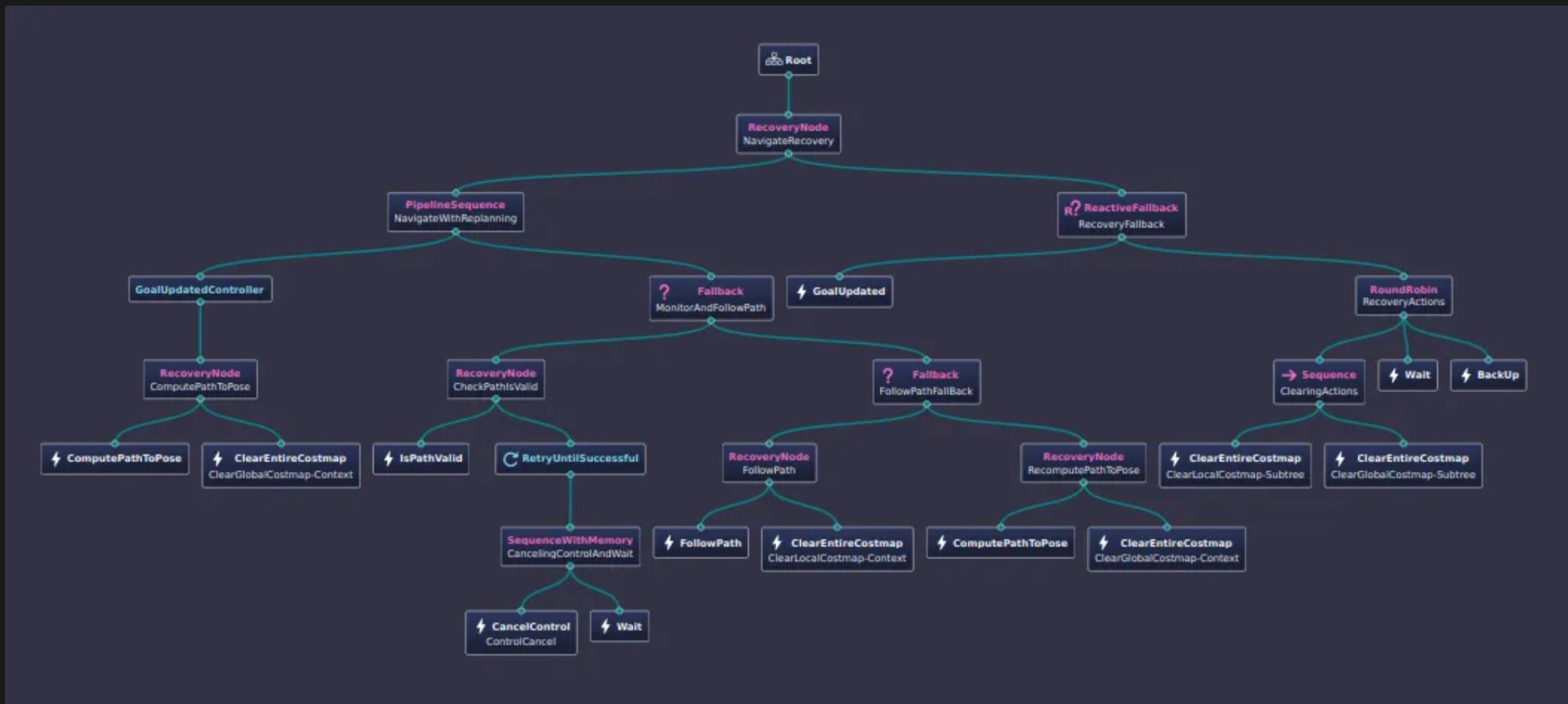
Under the hood, the converter is three moves. First, turn the latitude and longitude into a position on an Earth-sized grid centered on the planet’s core, the same grid GPS satellites use. Then subtract where the map’s corner sits on that grid, which leaves a plain offset in meters. Finally, hand that offset to the behavior tree as a NavigateToPose goal. A test with two points 17 km apart confirmed the distance came out right. One refinement is still on the list. The raw offset needs rotating flat to the local ground, because that grid tilts relative to wherever you are standing.
The recovery branch is what makes the tree robust. When navigation fails outright, it refuses to sulk:
<RoundRobin name="RecoveryActions">
  <Sequence name="ClearingActions">
    <ClearEntireCostmap service_name="local_costmap/clear_entirely_local_costmap"/>
    <ClearEntireCostmap service_name="global_costmap/clear_entirely_global_costmap"/>
  </Sequence>
  <Wait wait_duration="3.0"/>
  <BackUp backup_dist="0.50" backup_speed="0.05"/>
</RoundRobin>
Wipe the costmaps clean in case outdated obstacles have piled up. Still stuck, wait three seconds. Still stuck, back up half a meter. One move per failed attempt, rotating through the list, six attempts before the tree admits defeat. That’s when a human operator has to step in to save the day.
Why Simulation First
A planner bug in Gazebo costs a laugh and a relaunch. The same bug at altitude costs a drone. On a student-org budget, the whole stack had to prove itself in simulation before touching real props.
Simulation still found ways to fight back. Because PX4, Gazebo, and ROS 2 each keep their own clock, position updates arrived with three mismatched timestamps that nothing could line up. The math was fine. The timing disagreed. Two switches fixed it, use_sim_time on the ROS side and one clock-sync setting on the autopilot.
Proof came in two screenshots. First, the mapping half. We flew a loop while lidarslam stitched the laser sweeps into a 3D map, then flattened it into the floor plan the planner runs on.
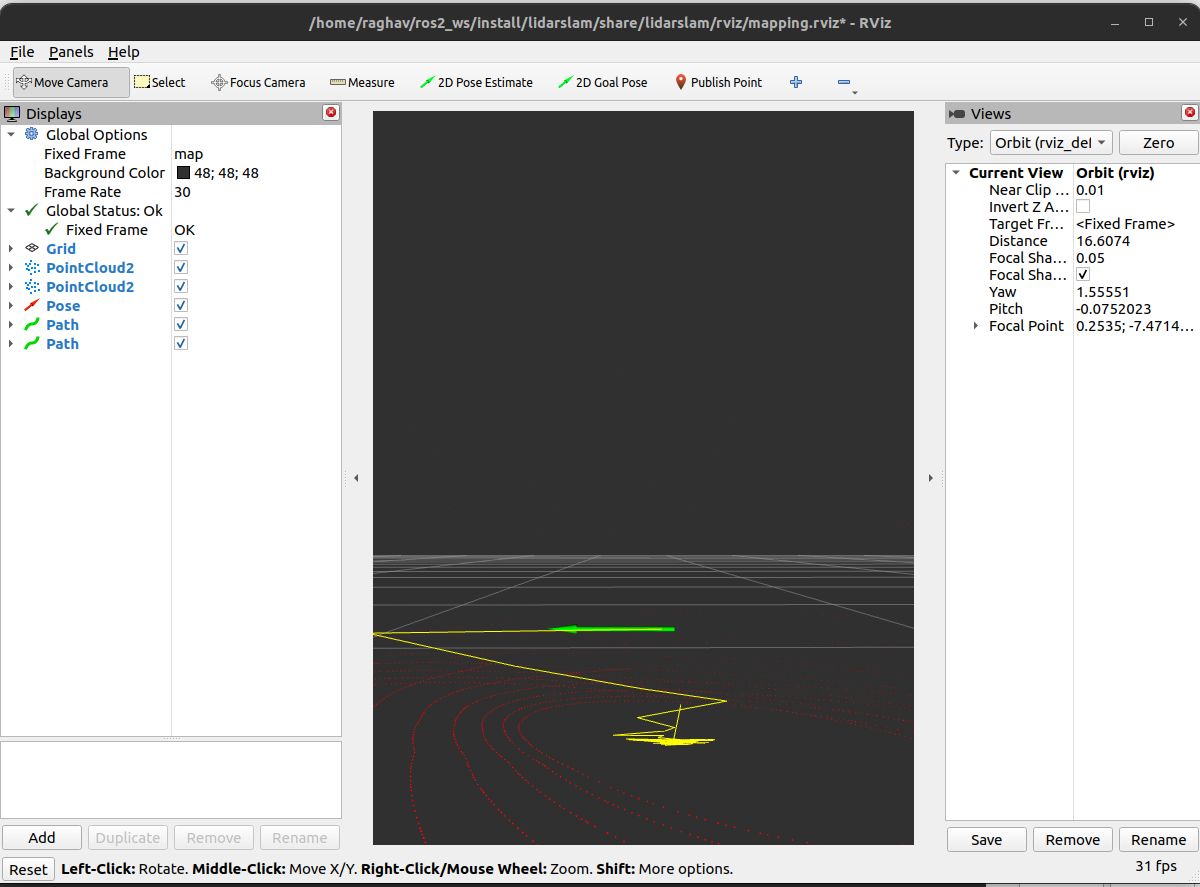 lidarslam at work. The environment accumulates in red, the flight path traced in yellow.
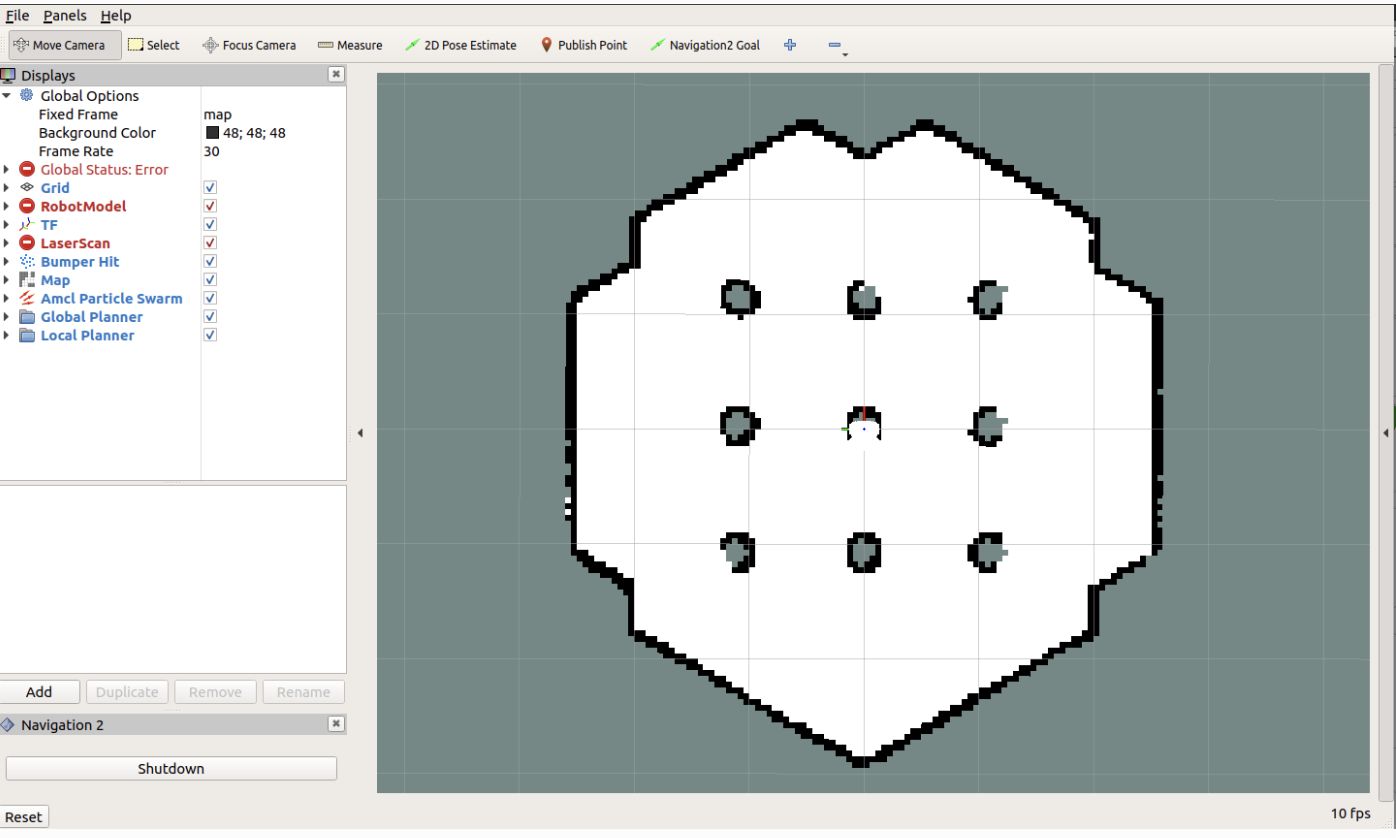
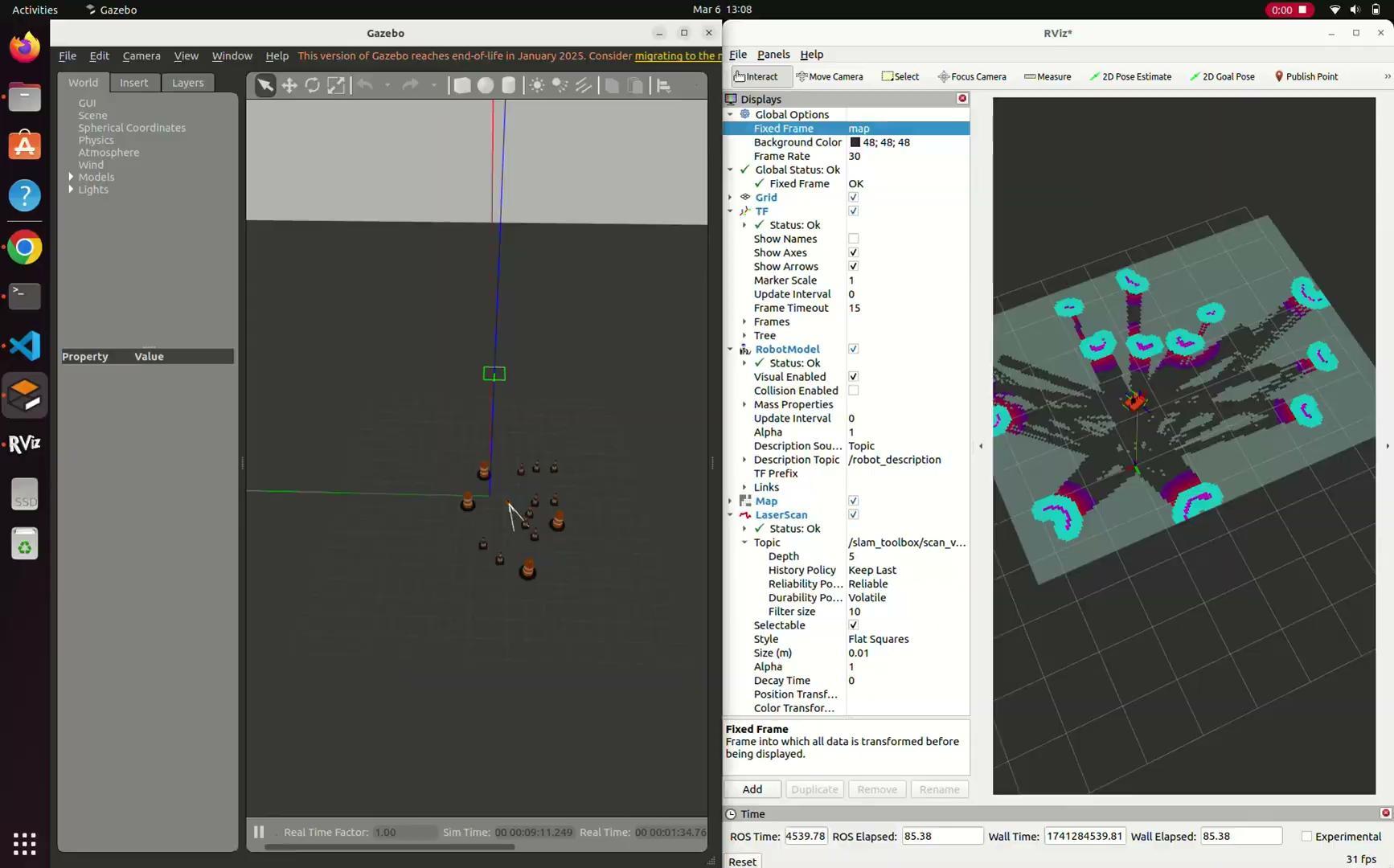
Second, the navigation half reading a world it has never seen. Gazebo’s cone course (left) shows up in the costmap (right) as no-go cells wrapped in a personal-space bubble that gets pricier the closer you fly. Nobody writes an “avoid the cone” rule. Theta* simply shops for the cheapest route through.
Results
Status by the spring review:
- GPS goal pipeline verified end to end, from raw coordinates to a correct
PoseStamped. - Base Nav2 stack running in Gazebo, costmaps inflating live lidar data.
- Custom behavior tree written, with replanning and the three-step recovery ladder.
- lidarslam building the 3D map and tracing the drone’s path through it.
- PX4 bridge flying the hexacopter in sim, with automatic takeoff, landing, and offboard modes drafted.
- The fully integrated autonomous delivery flight.
- The sim-to-real jump, with Jetson onboard, Zed 2i streaming, and a hardware-in-the-loop test.
That last box is the point of the whole architecture. Every subteam’s piece plugs into the same behavior tree, which makes final integration a wiring job.
The Ultimate Takeaway
Autonomy is mostly integration. lidarslam, Nav2, and PX4 each work beautifully alone. The heart of the problem is making them agree on where the drone is, what time it is, and what to do next. My GPS pipeline was one small file of actual math. It made three large systems point at the same spot on the map.